


Category Archives: Technology
IoT Environmental Monitoring: Smart Tech for a Greener World

Source:https://softwebsolutions.b-cdn.net
As climate change, pollution, and resource depletion become increasingly urgent global challenges, technology is playing a critical role in shaping sustainable solutions. Among the most impactful innovations is iot environmental monitoring, which combines connected sensors, data analytics, and real-time communication to observe and manage environmental conditions more effectively than ever before. From tracking air and water quality to monitoring ecosystems and optimizing resource use, this technology provides governments, industries, and communities with actionable insights. By transforming raw environmental data into informed decisions, IoT-based monitoring systems are becoming essential tools for building a greener and more resilient world.
Understanding IoT Environmental Monitoring Systems
IoT environmental monitoring refers to the use of interconnected devices and sensors that continuously collect data about environmental parameters such as temperature, humidity, air quality, soil moisture, noise levels, and water contamination. These devices transmit data through wireless networks to centralized platforms, where it is analyzed and visualized for decision-makers.
Traditional environmental monitoring often relied on manual data collection or isolated stations that provided limited and infrequent readings. IoT systems overcome these limitations by enabling continuous, real-time monitoring across large geographic areas. Sensors can be deployed in urban centers, industrial zones, agricultural fields, forests, and oceans, creating a dense network of data points that offer a comprehensive view of environmental conditions.
Cloud computing and edge processing further enhance these systems by allowing data to be processed quickly and efficiently. Alerts can be triggered automatically when thresholds are exceeded, enabling rapid responses to environmental risks such as pollution spikes, chemical leaks, or extreme weather conditions. This proactive approach marks a significant shift from reactive environmental management to predictive and preventive strategies.
Key Components and Data Flow
At the core of IoT environmental monitoring are several interconnected components. Sensors collect raw environmental data, which is transmitted via communication protocols such as cellular networks, low-power wide-area networks, or satellite connections. Gateways aggregate this data and send it to cloud-based platforms, where advanced analytics and visualization tools transform it into meaningful insights.
Machine learning and artificial intelligence are increasingly integrated into these platforms. By analyzing historical and real-time data, AI models can identify patterns, predict trends, and support scenario planning. For example, predictive models can forecast air pollution levels based on traffic patterns and weather conditions, helping cities implement timely mitigation measures.
Applications Driving Sustainability and Efficiency
The real value of IoT environmental monitoring lies in its wide range of applications across industries and sectors. In urban environments, smart air quality sensors help municipalities monitor pollution levels street by street. This data supports evidence-based policies, such as traffic restrictions or emission controls, and helps inform the public about health risks.
In agriculture, IoT-enabled soil and weather sensors optimize irrigation and fertilization practices. Farmers can reduce water usage, minimize chemical runoff, and improve crop yields by responding precisely to real-time conditions. This not only supports environmental sustainability but also enhances food security and economic efficiency.
Water management is another critical area. Sensors deployed in rivers, lakes, and pipelines can detect contamination, leaks, or changes in water levels. Early detection helps prevent environmental damage, protects drinking water supplies, and reduces infrastructure maintenance costs. Similarly, in coastal and marine environments, IoT systems monitor temperature, salinity, and biodiversity indicators, supporting conservation efforts and sustainable fisheries.
Industrial and Energy Sector Impact
Industries and energy providers are increasingly adopting IoT monitoring to meet environmental regulations and sustainability goals. Emission sensors track pollutants released from factories and power plants, ensuring compliance and enabling continuous improvement. In renewable energy systems, IoT devices monitor performance and environmental conditions to optimize output and reduce downtime.
Smart grids also benefit from environmental monitoring by adjusting energy distribution based on weather patterns and demand. For instance, integrating wind and solar data helps utilities balance supply and demand more efficiently, reducing reliance on fossil fuels and lowering carbon emissions.
Challenges, Ethics, and the Future Outlook
Despite its potential, IoT environmental monitoring faces several challenges that must be addressed for widespread adoption. Data accuracy and sensor calibration are critical, as unreliable data can lead to poor decision-making. Ensuring consistent maintenance and validation of sensors is essential, especially in harsh or remote environments.
Data security and privacy also require careful consideration. While environmental data may seem less sensitive than personal information, location-based and industrial data can still pose risks if misused. Secure communication protocols, encryption, and clear data governance policies are necessary to maintain trust among stakeholders.
Interoperability is another hurdle. Environmental monitoring systems often involve devices from multiple vendors operating across different platforms. Standardized protocols and open data frameworks are crucial to enable seamless integration and data sharing at local, national, and global levels.
Looking ahead, the future of IoT environmental monitoring is closely tied to advances in AI, satellite technology, and low-power connectivity. Smaller, more energy-efficient sensors will expand monitoring coverage, while AI-driven analytics will deliver deeper insights and more accurate predictions. As public awareness and regulatory pressure around sustainability grow, adoption of these technologies is expected to accelerate.
The path to a sustainable future requires accurate information, timely action, and collaboration across sectors. IoT environmental monitoring provides the technological foundation to understand complex environmental systems and respond effectively to emerging challenges. By enabling real-time visibility, predictive insights, and data-driven decision-making, this smart technology empowers societies to protect natural resources, reduce environmental impact, and build a greener world for future generations.
Connected Medical Devices: Advancing Modern Healthcare
Source:https://www.gilero.com
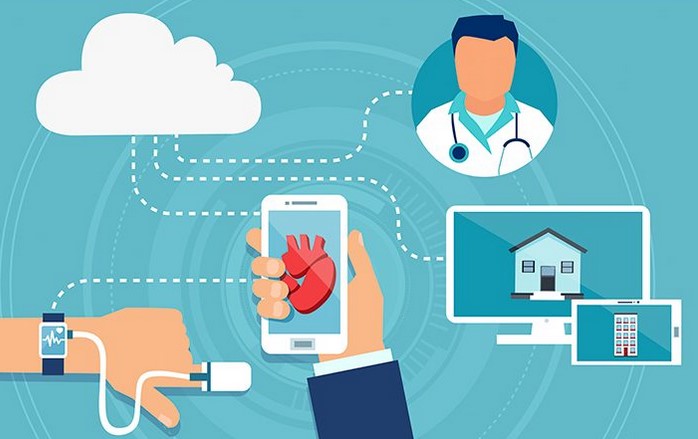
Healthcare systems around the world are undergoing a digital transformation driven by the need for better patient outcomes, operational efficiency, and data-driven decision-making. At the center of this shift are connected medical devices, which integrate sensors, software, and network connectivity to collect and share health data in real time. These technologies are reshaping how care is delivered by enabling continuous monitoring, faster diagnosis, and more personalized treatment. As healthcare moves beyond hospital walls and into homes and communities, connected solutions are becoming essential tools in modern medicine.
The Role of Connectivity in Modern Medical Technology
Medical devices have long played a critical role in diagnosing and treating patients, but traditional devices often operated in isolation. Data was collected manually, reviewed after the fact, and stored in fragmented systems. Connectivity changes this paradigm by allowing devices to communicate seamlessly with healthcare platforms, clinicians, and patients.
By transmitting data automatically, connected systems reduce delays and improve accuracy. Vital signs, medication adherence, and device performance can be tracked continuously rather than at isolated moments. This real-time data flow enables healthcare professionals to detect issues earlier and intervene before conditions escalate. For patients with chronic illnesses such as diabetes, heart disease, or respiratory disorders, this shift from episodic care to continuous oversight can be life-changing.
Connectivity also supports interoperability across healthcare ecosystems. When devices integrate with electronic health records (EHRs) and clinical decision-support systems, patient information becomes more accessible and actionable. This unified view of patient data helps clinicians make informed decisions, reduces duplication of tests, and improves coordination among care teams.
Remote Monitoring and Preventive Care
One of the most impactful applications of connected medical technology is remote patient monitoring. Devices such as wearable sensors, smart implants, and home-based diagnostic tools allow patients to be monitored outside traditional clinical settings. This approach reduces hospital visits while maintaining high standards of care.
Remote monitoring supports preventive care by identifying trends and anomalies early. For example, subtle changes in heart rate, oxygen saturation, or activity levels may signal the onset of complications. Clinicians can respond proactively, adjusting treatment plans or advising lifestyle changes before hospitalization becomes necessary. This not only improves patient outcomes but also reduces the strain on healthcare systems.
Preventive care is particularly valuable in aging populations and underserved regions where access to healthcare facilities may be limited. By extending care into the home, connected technologies promote equity and continuity of care across diverse patient populations.
Benefits for Patients, Providers, and Healthcare Systems
The adoption of connected medical devices delivers measurable benefits across all levels of the healthcare ecosystem. For patients, these technologies enhance engagement and empowerment. Access to personal health data encourages individuals to take an active role in managing their conditions. Alerts, reminders, and feedback mechanisms help patients adhere to treatment plans and make informed lifestyle choices.
Healthcare providers benefit from improved efficiency and clinical insight. Automated data collection reduces administrative burdens and minimizes human error. Clinicians can focus more on patient interaction and complex decision-making rather than manual data entry. In addition, advanced analytics applied to connected device data can reveal patterns that inform diagnosis, treatment optimization, and population health management.
From a system-wide perspective, connected devices contribute to cost containment and resource optimization. Early detection and preventive care reduce expensive emergency interventions and hospital admissions. Predictive maintenance of medical equipment also minimizes downtime and ensures reliability in critical care environments.
Data-Driven Innovation and Research
Beyond day-to-day clinical use, connected medical technologies are transforming medical research and innovation. Large volumes of real-world data collected from diverse patient populations provide valuable insights into disease progression, treatment effectiveness, and patient behavior. Researchers can analyze this data to identify new biomarkers, refine clinical guidelines, and accelerate the development of personalized therapies.
Pharmaceutical and medical device companies also leverage connected data to improve product design and post-market surveillance. Continuous feedback from real-world usage helps identify safety issues earlier and supports iterative innovation. This data-driven approach shortens development cycles and aligns products more closely with patient needs.
Challenges, Security, and the Path Forward
Despite their promise, connected medical technologies also introduce challenges that must be addressed to ensure safe and effective adoption. Data security and patient privacy are paramount concerns. Medical devices handle sensitive health information, making them attractive targets for cyberattacks. Robust encryption, secure authentication, and regular software updates are essential to protect data integrity and patient trust.
Regulatory compliance is another critical consideration. Connected devices must meet stringent safety and performance standards while adapting to evolving regulations across different regions. Manufacturers and healthcare organizations must collaborate closely with regulators to balance innovation with patient safety.
Interoperability remains an ongoing challenge as well. For connected systems to deliver their full value, devices from different manufacturers must communicate effectively. Industry-wide standards and open architectures are key to avoiding data silos and ensuring seamless integration across healthcare platforms.
Looking ahead, advances in artificial intelligence, edge computing, and next-generation connectivity will further enhance the capabilities of connected medical technologies. AI-driven analytics can provide predictive insights, while edge processing reduces latency and enhances reliability. Together, these innovations will support more autonomous, intelligent, and patient-centered care models.
The healthcare industry is at a pivotal moment, where technology and medicine converge to redefine how care is delivered and experienced. Connected medical devices are playing a central role in this transformation by enabling real-time data exchange, personalized treatment, and proactive care. As challenges around security, interoperability, and regulation are addressed, these technologies will continue to advance modern healthcare, improving outcomes for patients and creating more resilient, efficient healthcare systems worldwide.
Gaming Smartphones That Deliver Console-Like Performance

Source:https://www.techpowerup.com
In the fast-evolving world of mobile technology, gaming smartphones have emerged as powerful contenders that blur the line between handheld devices and traditional gaming consoles. What was once limited to casual games and apps has now shifted to graphically intense titles that demand robust hardware, advanced cooling systems, and seamless performance. Gamers today expect smooth frame rates, responsive controls, and immersive experiences akin to what they enjoy on consoles such as the PlayStation and Xbox. As mobile processors and software optimization techniques advance, the best gaming phones are now capable of delivering experiences that rival the performance of full-fledged consoles, transforming the way people game on the go.
What Makes a Smartphone Game Like a Console?
To fully appreciate how certain smartphones achieve console-like performance, it’s essential to understand the underlying components and design strategies that make this possible.
High-End Processors and Graphics
At the heart of any gaming-capable device is its processor and graphics architecture. Unlike standard smartphones, gaming phones leverage the latest mobile SoCs (Systems on Chip) that pack immense processing power. These chipsets combine powerful CPU cores with cutting-edge GPUs (Graphics Processing Units), enabling them to render detailed environments, complex lighting effects, and large-scale physics simulations that were once exclusive to PCs and consoles.
Major chipset manufacturers such as Qualcomm and MediaTek continually push the envelope with their flagship mobile processors, balancing clock speeds, power efficiency, and thermal performance. These advancements allow gaming smartphones to handle AAA (triple-A) mobile titles with high-resolution textures and demanding graphical features. Moreover, the integration of dedicated gaming optimization engines ensures that performance is sustained even during extended play sessions.
Advanced Display Technology
Smooth visuals elevate the mobile gaming experience significantly. High refresh rate screens—typically 120Hz or higher—are now a staple of top-tier gaming phones, delivering fluid motion and reduced input lag. This is especially valuable in competitive multiplayer titles where split-second reactions can determine outcomes. These displays often come with high touch sampling rates, enhancing responsiveness and providing gamers with a competitive edge.
In addition to refresh rates, modern gaming smartphones support vibrant color gamuts and high brightness levels, making visuals pop and ensuring clarity even under direct sunlight. Combined with resolutions that range from Full HD+ to QHD+, the overall visual experience is immersive and engaging—a key factor in delivering a console-like feel.
Cooling Solutions for Sustained Play
One of the biggest challenges in mobile gaming is heat management. Prolonged gaming sessions generate significant heat due to sustained CPU and GPU activity. Unlike stationary consoles, smartphones have limited space for traditional cooling systems. To counteract this, manufacturers have developed innovative cooling solutions such as vapor chambers, thermal gels, and multi-layer heat dissipation systems.
These technologies help maintain optimal performance by preventing thermal throttling, a condition where the device reduces its speed to avoid overheating. By keeping temperatures in check, gaming smartphones can deliver consistent frame rates and prevent performance dips during marathon gaming sessions.
Gaming Ecosystem and Software Enhancements
The hardware benefits of gaming smartphones are complemented by software features that enhance usability and gaming performance.
Game Optimization Suites
Leading smartphone brands have introduced dedicated game modes and optimization suites that prioritize system resources for active games. These features can block background tasks, limit notifications, and allocate CPU and GPU processing power more effectively. Some systems can even automatically switch between performance profiles based on real-time analysis of game requirements.
These optimizations ensure that games not only run smoothly but also maintain battery efficiency, striking a balance between high performance and longevity. For example, dynamic resolution scaling and adaptive refresh rate technologies help gaming phones sustain high-quality visuals without draining the battery excessively.
Accessories and Expandability
Recognizing the demand for enhanced control and comfort, manufacturers and third-party vendors offer a range of accessories designed specifically for mobile gaming. These include attachable controllers, cooling fans, gaming docks, and ergonomic grips that transform the smartphone into a more console-like setup. Such accessories expand the device’s versatility, especially for gamers who enjoy longer sessions or prefer tactile controls over touch inputs.
Additionally, some gaming smartphones support docking capabilities that enable connection to external displays. This feature allows users to mirror their device’s screen to larger monitors or TVs, effectively turning their mobile device into a portable console for couch gaming or group play.
The Future of Mobile Gaming
As mobile hardware continues to advance, the gap between console and smartphone gaming experiences will likely narrow even further. Emerging technologies such as cloud gaming integration, AI-powered performance enhancements, and next-generation wireless standards (like 5G and beyond) are set to play significant roles in this evolution.
Cloud Gaming Integration
Cloud gaming platforms enable high-fidelity titles to run remotely on powerful servers while streaming the output to a mobile device. This approach offloads the heavy lifting from the smartphone’s hardware, making even the most demanding console-quality games playable on modest devices. With high-speed internet becoming more widespread, cloud gaming could redefine what it means to game on mobile, further enhancing the appeal of gaming smartphones.
AI and Performance Optimization
In 2026 and beyond, artificial intelligence is poised to bring even more advanced performance tuning and predictive resource allocation to gaming devices. AI-driven optimization can analyze individual games and usage patterns, adjusting settings in real time to strike the best balance between performance, battery life, and thermal efficiency.
The landscape of mobile gaming has evolved tremendously, and gaming smartphones are now at the forefront of this transformation, delivering performance that can rival traditional consoles. With powerful processors, high-refresh-rate displays, innovative cooling solutions, and software enhancements designed to support immersive play, modern gaming phones are redefining what users can expect from handheld devices. As technology continues to advance, these devices will only become more capable, offering gamers an increasingly seamless and console-like experience wherever they go.
Student Laptops with SSD: Best Picks for Performance and Value

Source:https://helios-i.mashable.com
In today’s fast-paced academic environment, having the right technology can make a significant difference in a student’s success. One of the most important features to consider when choosing a laptop for school is storage type. Solid-state drives offer faster boot times, quicker application loading, and greater reliability compared to traditional hard disk drives. This guide looks at student laptops with SSD to help you find devices that deliver exceptional performance and value throughout the school year. Whether you’re tackling research papers, managing virtual classrooms, or running creative applications, the right SSD-equipped laptop can elevate your academic experience.
Why SSD Matters for Students
For many students, laptops serve as the central hub for learning, collaboration, and creativity. In this section, we explore the key benefits that SSDs bring to student devices and why they are such a valuable investment.
Speed and Responsiveness
One of the biggest advantages of SSDs is their speed. Unlike mechanical hard drives that rely on spinning platters, SSDs use flash memory to read and write data. This results in significantly faster performance, which is noticeable in daily tasks such as booting up the system, launching applications, and opening large documents or media files.
Students often juggle multiple tasks at once—web browsers with numerous tabs, productivity suites, and multimedia tools. With an SSD, these tasks run smoother, helping reduce wait times that can interrupt study flow. Faster storage also improves system responsiveness, which is why even entry-level SSD laptops feel more polished and efficient than their HDD counterparts.
Durability and Reliability
Students frequently carry their laptops between classrooms, libraries, coffee shops, and dorms. The physical durability of SSDs makes them better suited for mobile use. Since SSDs have no moving parts, they are less susceptible to damage from bumps or accidental drops. The result is a more reliable machine that can withstand the rigors of daily campus life.
Storage reliability becomes especially important when working with critical academic files. Losing data due to drive failure can be devastating, especially during finals or project deadlines. SSDs are less prone to mechanical failure, giving students peace of mind that their work is safe and accessible.
Improved Battery Life
Efficient power consumption is another benefit of SSDs. Because they require less energy to operate than traditional hard drives, laptops with SSDs tend to enjoy longer battery life. For students who spend long days on campus, this translates to extended use without needing to recharge. Whether attending back-to-back lectures or working on group assignments, longer battery life helps ensure uninterrupted productivity.
Key Considerations When Choosing a Student Laptop
Selecting the right laptop involves more than just deciding on an SSD. This section highlights the important factors students should take into account when evaluating their options.
Performance and Specifications
A fast SSD sets the foundation for a responsive laptop, but the overall performance also depends on other components:
- Processor (CPU): Look for a modern multi-core processor that can handle everyday tasks and multitasking with ease. For most students, mid-range Intel Core i5 or AMD Ryzen 5 processors offer a strong balance of performance and efficiency.
- Memory (RAM): 8GB of RAM is usually sufficient for general productivity and web-based learning. However, students working with heavy software like video editing tools or engineering applications may benefit from 16GB or more.
- Graphics: Integrated graphics are adequate for everyday tasks and light creative work. If you plan to run graphically demanding programs or games, consider a laptop with a dedicated GPU.
Portability and Build
Since students carry their laptops frequently, size and weight matter. Smaller laptops (13–14 inches) are generally more portable but may offer smaller keyboards and displays. Larger laptops (15–16 inches) provide more screen real estate, which can be helpful for multitasking and detailed work. Durability, keyboard comfort, and build quality are also important for long-term use.
Display Quality
A good display enhances the learning experience, especially for visual tasks like presentations and media content. Aim for an IPS panel with at least Full HD (1920×1080) resolution to ensure crisp text and accurate colors.
Recommended Student Laptops with SSD for Performance and Value
Now let’s explore specific laptops that stand out for students looking for a blend of performance, reliability, and affordability. These selections span various budgets and use cases.
Balanced Everyday Performance
- A Mid-Range All-Purpose Laptop
- Why It’s Good: Offers a solid mix of speed, battery life, and portability.
- Strengths: Fast SSD storage, responsive system performance, long battery life.
- Best For: Students who need a reliable machine for research, writing, and multimedia consumption.
- An Affordable Productivity Laptop
- Why It’s Good: Excellent value without sacrificing essential performance.
- Strengths: SSD storage accelerates boot and load times; large display for multitasking.
- Best For: Budget-conscious students seeking dependable everyday performance.
Enhanced Performance for Creative and Technical Users
- Performance Laptop for Creative Work
- Why It’s Good: More powerful CPU and ample RAM support resource-intensive applications.
- Strengths: SSD improves responsiveness during editing and rendering tasks.
- Best For: Students in design, video production, or engineering programs.
- Portable Powerhouse
- Why It’s Good: Combines thin-and-light design with robust internal components.
- Strengths: Fast SSD storage, long battery life, and high-quality display.
- Best For: Students who need performance without sacrificing mobility.
Choosing the right laptop can significantly influence a student’s learning journey. Laptop performance affects everything from daily productivity to long-term project success. By selecting a device with an SSD, students benefit from faster load times, greater system responsiveness, improved durability, and efficient power usage. These advantages make student laptops with ssd a smart choice for anyone looking to maximize performance and value in their academic life. As technology continues to evolve, equipping students with the right tools ensures they stay productive and competitive in an increasingly digital world.
AI Assistants for Business: Boosting Productivity in 2026
Source:https://sirsonite.com
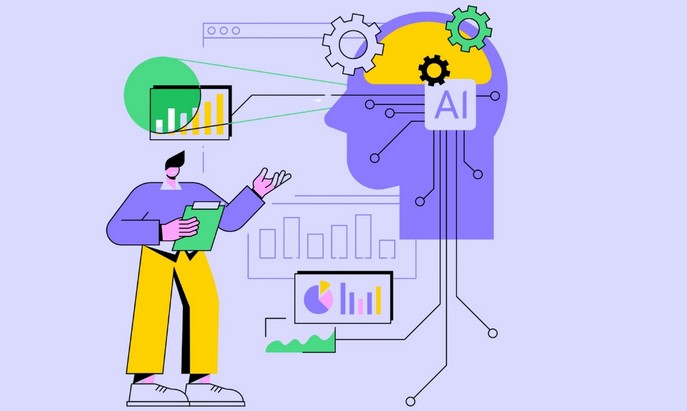
The modern workplace is undergoing a profound transformation as organizations increasingly rely on intelligent technologies to remain competitive. Among the most influential of these technologies are ai assistants for business, which have evolved far beyond simple chatbots or task reminders. In 2026, these systems are becoming strategic partners that help companies streamline operations, enhance decision-making, and empower employees to focus on high-value work. As businesses face growing pressure to do more with fewer resources, AI-powered assistance is emerging as a cornerstone of sustainable productivity and innovation.
The Changing Role of AI Assistants in the Business Environment
AI assistants were initially adopted to handle repetitive administrative tasks such as scheduling meetings, answering basic customer inquiries, or organizing emails. While these functions remain important, the scope of AI assistants has expanded significantly. Today’s systems integrate deeply with enterprise software, analyze large volumes of data in real time, and provide contextual insights tailored to specific roles within an organization.
In 2026, AI assistants are increasingly embedded into daily workflows rather than existing as standalone tools. They can proactively identify bottlenecks in processes, suggest improvements, and even predict potential risks based on historical patterns. For example, in project management, an AI assistant can monitor progress across teams, flag delays before they escalate, and recommend resource reallocations to keep projects on track.
This shift reflects a broader change in how businesses view AI. Instead of treating it as a support function, organizations are positioning AI assistants as collaborative partners. Employees interact with them through natural language, reducing the learning curve and making advanced analytics accessible to non-technical staff. As a result, decision-making becomes faster, more informed, and less dependent on manual data interpretation.
Productivity Gains Across Key Business Functions
One of the most compelling advantages of AI assistants lies in their ability to enhance productivity across multiple departments simultaneously. In operations, they help automate routine workflows, ensuring consistency and reducing human error. In finance, they assist with forecasting, expense tracking, and compliance monitoring by continuously analyzing financial data and highlighting anomalies.
Sales and marketing teams also benefit significantly. AI assistants can analyze customer behavior, segment audiences, and recommend personalized outreach strategies. By synthesizing data from customer relationship management systems, social platforms, and market trends, they enable teams to respond more effectively to changing customer needs. This level of insight not only improves conversion rates but also strengthens long-term customer relationships.
Human–AI Collaboration as a Competitive Advantage
A defining feature of successful AI adoption in 2026 is the emphasis on collaboration rather than replacement. AI assistants excel at processing information and identifying patterns, while humans bring creativity, emotional intelligence, and strategic judgment. When these strengths are combined, organizations achieve outcomes that neither could accomplish alone.
For instance, in human resources, AI assistants can screen resumes, analyze workforce data, and identify skill gaps. However, final hiring decisions and employee development strategies still rely on human insight and empathy. This collaborative model allows HR professionals to spend less time on administrative work and more time on culture-building and talent development.
Training and upskilling also become more efficient through AI assistance. Personalized learning recommendations, performance feedback, and knowledge retrieval help employees adapt to new tools and responsibilities faster. Over time, this creates a more agile workforce capable of responding to rapid market changes.
Strategic Considerations and Ethical Implications
While the benefits of AI assistants are substantial, businesses must approach adoption thoughtfully. Data security and privacy are critical concerns, especially as AI systems access sensitive corporate and customer information. Organizations need robust governance frameworks to ensure data is handled responsibly and in compliance with regulations.
Transparency is another important factor. Employees should understand how AI assistants make recommendations and how their data is used. Clear communication builds trust and reduces resistance to adoption. Additionally, companies must address potential bias in AI models by regularly auditing systems and ensuring diverse, representative data sets are used in training.
From a strategic perspective, successful implementation requires alignment with business goals. AI assistants should be customized to support specific objectives rather than deployed as generic solutions. This may involve integrating them with existing systems, redefining workflows, and investing in change management initiatives to help employees adapt.
Looking ahead, the organizations that gain the most value from AI will be those that view it as an evolving capability rather than a one-time investment. Continuous improvement, feedback loops, and ongoing training will ensure that AI assistants remain relevant as business needs change.
As businesses navigate increasing complexity and competition, intelligent automation is no longer optional—it is essential. In 2026, ai assistants for business represent a powerful tool for boosting productivity, enhancing collaboration, and enabling smarter decision-making across the organization. By thoughtfully integrating these systems into daily operations and fostering a culture of human–AI collaboration, companies can unlock new levels of efficiency and resilience. Those that invest early and strategically will be better positioned to thrive in a future where intelligent assistance is a defining feature of successful enterprises.